One of my nerdier goals during the Christmas break has been cleaning up my messy and discombobulated news ecosystem. I’ve used RSS regularly for a long time, so that’s naturally picked up some cruft in recent years. Throw in a plethora of Substack newsletters and links scattered across various ‘read later’ apps, and you see the potential for some serious link chaos.
The first step was to clean up my feeds in Inoreader, which I’ve mostly done. Inoreader remains the most powerful RSS reader on the market, packed with features for power users. I make good use of the highlighter, rules, tags, and filters. I’ve even combined RSS feeds to create new ones that I can use elsewhere. If you just want to track a few blogs, Inoreader is probably overkill; but if you want to slice and dice through the information overload, Inoreader is among the best ways to do it.
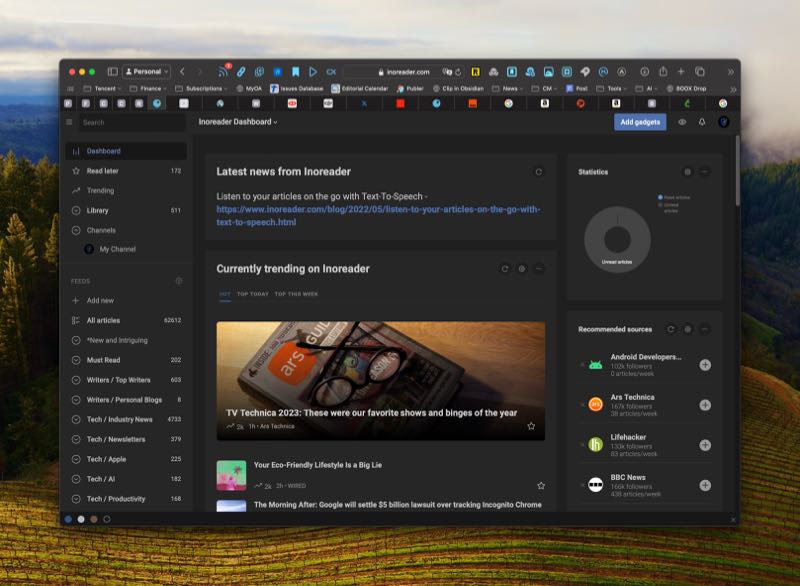
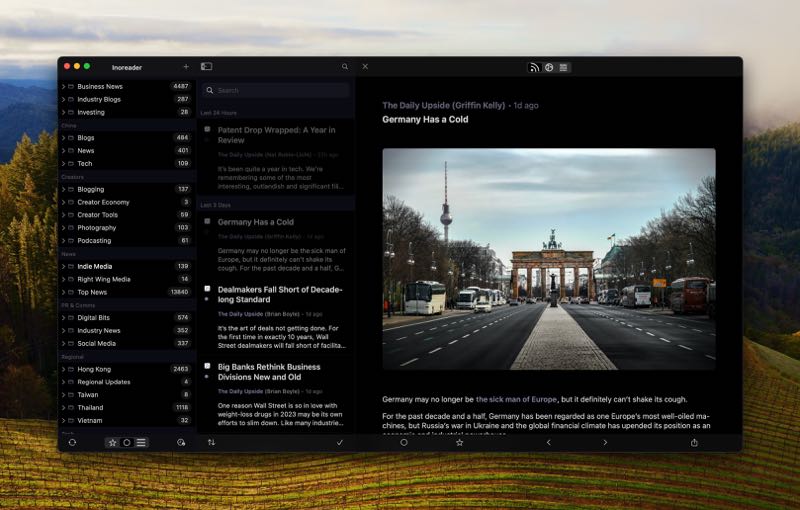
Several years ago I also loved Fiery Feeds, a boutique app available across Apple’s platforms. I remember loving the app, but running into bugs frequently enough that it soured on me over time. And to be honest, I’ve never quite felt right about RSS since then. So after I cleaned up Inoreader, I decided to connect it to the Fiery Feeds app on MacOS, iOS, and iPadOS and give it another shot — and I’m in love.
I had forgotten how clean and streamlined the app is. Fiery Feeds brings over saved searches, tags, and other features of Inoreader, while adding the ability to create “sections”, which can be groups of folders, feeds, or both. I’ve always wanted at least one or two levels down of nested folders, and this feature scratches that itch.
Fiery Feeds also offers granular control over how the app looks and functions, including text font and sizes across various different views, whether you want a one, two, or three-pane view, what left and right swipes will trigger, and which apps to integrate as sharing options. I’ve only started using Fiery Feeds again for the past few days, and so far it’s been totally bug free. Things are efficiently clicking along for me again for the first time in years. It’s lovely!
After I got everything up and running, I decided to dig into some more complex automations. For instance, I connected Zapier and the app Pushcut to deliver urgent notifications to my phone if a news article met a certain set of criteria. I also opened a Telegram Channel and automated a custom news feed directly into the channel, and so far it’s working great. If there’s any interest in how I’ve set this up, let me know below (or ping me on X, Mastodon, Threads, or Bluesky) and I can throw together a tutorial.
Next, sorting through the various ‘read later’ apps I’ve tried over the years, which now includes Goodlinks, Omnivore, Cubox, Anybox, Articles+, UpNext… (hey, for some people, trying every notes app is their thing — don’t judge)
The iPhone and iPad have made computers accessible to people all over the world, both young and old. They’ve done away with the mouse and made interacting with apps much more natural, using touch. The result has been an explosion in apps, including some excellent productivity apps for the iPad in particular.
Apple is now trying to take some of that magic and bring it back to the trusty ol’ Mac.
The latest iteration of the Mac operating system, macOS Catalina, rolled out earlier this week alongside several apps making their debut on the Mac. Apple had previously released a new framework to developers called Catalyst, which makes it much easier for developers to take their existing iPad apps and move them to the Mac. The framework, announced in 2018, was met with some early skepticism after the first couple of Catalyst apps, like Apple News and Stocks, didn’t look great on the Mac. In fact, some were concerned that bringing apps designed for a touch interface to a keyboard-and-mouse old school computer might be an awkward fit, making the Mac less streamlined and consistent.
It’s still probably too early to call Catalyst a success, but early returns are looking positive.
As a guy whose life revolves around RSS feeds, seeing Fiery Feeds in the Mac App Store probably got me far more excited than I should be. Someday I will do a deep dive into the combination of Inoreader and Fiery Feeds, which does an excellent job of filtering and tagging important articles. Reeder has traditionally been the standard-bearer for RSS apps on the Mac, with version 4 coming out in April, but the addition of Fiery Feeds and Lire will certainly shake things up. I use Fiery Feeds multiple times a day on my iPad and iPhone, so having everything sync via iCloud and being able to check new articles while on the Mac is huge.

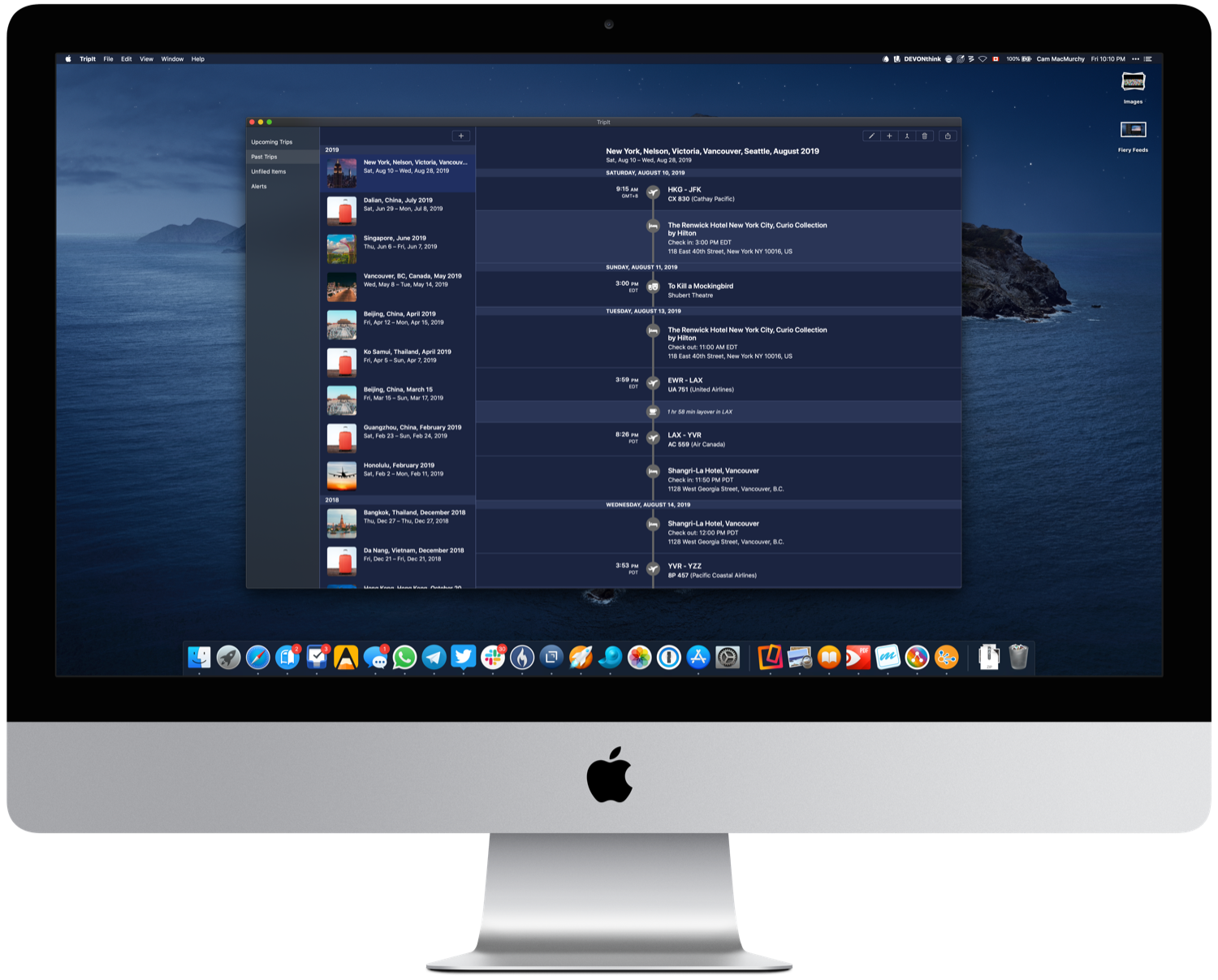
Another app with a big, dedicated user base is TripIt. I began subscribing to TripIt Pro a couple of years ago to help manage travel, and it has generally made keeping flight and hotel information as well as confirmation numbers easily accessible and in one place. I think the app’s UI is a bit dated, but functionally it’s been successful at what it sets out to do.
TripIt’s new Mac app doesn’t bring any surprises, and that’s probably a good thing. It provides all of the same information as the iOS app, but from the desktop.
I have only been testing out Catalyst apps for a few days, and there are still some rough edges that need to be smoothed out. Right clicking is common on the Mac but not on an iPad, obviously, so right clicking sometimes does nothing. I’ve also had each Catalyst app crash on me at least once, so there’s that, too.
Another thing to consider is the price — some of these apps probably cost more than you would expect. I think it’s high time that developers are compensated fairly for their work, so I have no particular issue with paying higher prices — but it will impact sales, regardless. Cocoacake, the maker of Fiery Feeds, is charging US$34.99 for the Mac app, justifying the price on the company’s blog by saying it’s a one-time cost that will cover the next three to five years of app updates. Lire is listed at $19.99.
I suspect performance issues to be worked out over time as more developers use Catalyst and Apple continues making improvements. Even today, in the early days, it’s encouraging to see so many developers embrace Catalyst and have apps ready on day one. If you want to see if your favorite iPad app is ready for the Mac, you can check this handy list put together by 9to5Mac.
If the launch of these early apps is any indication, it looks like a safe bet that Catalyst will breathe some new life and a bit of excitement into the Mac app ecosystem.
The best RSS reader for iPad and iPhone has received a major update, with a number of new features. Among them:
Since you might be using more than one device, you can also create iCloud based accounts, instead of just local accounts. Both feed and read later accounts are also available in an iCloud syncing variant, which synchronise your content between all of your iOS devices.
In addition to synching your content, version 2.2 also adds the option to synchronise all app settings, as well as account and feed settings (like the selected view mode for each feed). When you launch Fiery Feeds the first time on a new device you can also import your existing accounts from other devices with a single tap.
RSS apps serve a very specific niche these days, but there has been some serious innovation quietly in the background in recent years as people focus on social media for news instead. If you are a news junkie or enjoy checking out certain blogs (or both!), I implore you to check out Fiery Feeds. The developer has put out a power user product.
Source: Fiery Feeds